UkeySoft Recently Updated the Spotify Music Converter: Powerful Features to Help Download High-Quality Spotify Music to Listen Offline
Industry: Technology
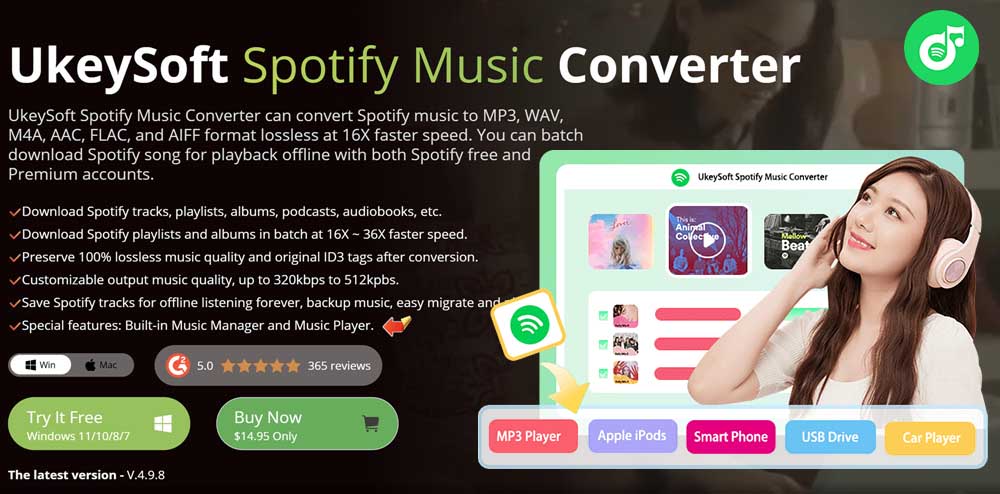
UkeySoft newly updated the UkeySoft Spotify Music Converter V.4.9.8, which offers more powerful features to help batch convert Spitify songs to MP3 in 320kbps at 36X fast speed, you can now save your favorite songs for offline listening anytime, anywhere with the UkeySoft Spotify Music Converter.
Los Angeles, CA (PRUnderground) December 9th, 2025

As we all know, music tracks downloaded from Spotify are just cache files, they can only be playable within the Spotify app. Moreover, Spotify users need to keep Premium plan active, or they will lose all Spotify downloads after subscription ends. In order to help Spotify users break these barriers and enhance their music streaming experience, UkeySoft, the leading streaming downloading software provider for Spotify, Apple Music, Amazon Music, TIDAL, Deezer, etc., has released a new update of UkeySoft Spotify Music Converter V.4.9.8. It enables you to download Spotify music to MP3 format at 320 kbps high bitrate and 48000 Hz without Premium account. Keep reading to learn more about what UkeySoft Spotify Music Converter V.4.9.8 can bring you!
What’s Updated in UkeySoft Spotify Music Converter V.4.9.8?
As a top-ranking Spotify Music Downloader in the market, UkeySoft Spotify Music Converter offers unlimited batch downloading and multiple formats conversion functions for all Spotify user. Whether you subscribe to Spotify’s Free (ad-supported) plan or Premium plan, the software helps you download Spotify music to MP3 and keep them permanently. Next, let’s take a look at all the new updates released in UkeySoft Spotify Music Converter V.4.9.8.
Discover the Top 6 New Features of UkeySoft Spotify Music Converter
- Up to 36X Faster Downloading Speed
UkeySoft Spotify Music Converter V.4.9.8 has released with great improvement on the download speed. Armed with a top-ranking conversion core, UkeySoft Spotify Music Converter V.4.9.8 has greatly speeds up performance in downloading your entire Spotify playlist, rising from 16X to 36X faster, taking only few minutes to complete an entire playlist download! Of course, your computer’s network and hardware state also affect downloading speed. - No Need to Install Spotify App
To download Spotify music content to computer,
UkeySoft Spotify Music Converter V.4.9.8 embeds with a Spotify web player to directly access the Spotify music library. To use it, users simply log in to a free account with the inbuilt web player of UkeySoft and open the music content they want to download, then click “+” icon to load and add the music items to the software. - Say Goodbye to Annoying Ads
UkeySoft Spotify Music Converter doesn’t require a Spotify Premium account to work, which means you can download Spotify music for free on your computer. It can remove the annoying ads that appear on Spotify Free account. You can enjoy an ad-free and smooth offline listening experience with any interruptions. - Supports Custom Management for Spotify Songs
To deliver better music management, the latest UkeySoft Spotify Music Converter V.4.9.8 also adds two flexible options to let you sort and rename downloaded Spotify songs. For instance, you can organize output file name based on ID3 tags (including title, artist, album, track number). Furthermore, you can also sort out the output songs by artist or album in the “Settings” window. - Preserve Original ID3 Tags
With UkeySoft Spotify Music Converter, you can keep all the valuable metadata intact. This feature ensures that you obtain detailed information about each song, such as the title, album artwork, artist’s name, release date, and more. Embrace the convenience of having a complete information collection alongside your downloaded files. - Frequently Updated New Features and 11 Language Support
UkeySoft Spotify Music Converter’s captivating user interface makes exploring the frequently updated features simple for greater customization and flexibility. All these features and capabilities are available in the following eleven languages: English, German, French, Japanese, Spanish, Deutsch, Danish, Indonesian, Malay, Turkish and Chinese.
Other Great Features of UkeySoft Spotify Music Converter
In addition to the above important updates in the new version of UkeySoft Spotify Music Converter V.4.9.8, there are also some great features and benefits you can’t miss.
- Supports downloading Spotify music tracks in MP3, M4A, AAC, FLAC, WAV, or AIFF audio formats.
- Automatically detects and keeps the original ID3 tags and metadata information of the Spotify songs.
- Freely customize the output quality with up to MP3 320kbps, lossless WAV, FLAC or AIFF, and highest M4A/AAC 640kbps.
- Adds the Spotify albums/playlists in one click to batch download all Spotify tracks to your computer.
- Allows to classify the output songs by Date, Artist, or Album in the “History” window.
- Supports to set the computer to sleep mode after finishing conversion, saving you a lot of waiting time.
- Embeds a Music Player to let you listen to the downloaded tracks in the software directly, without having to switch to the Spotify app or other players.
- Keeps the downloaded Spotify songs on local folder forever, even if you cancel your subscription or account.
- Lets you freely transfer the downloaded Spotify music tracks to MP3 player, USB drive, phone, iPod, and more devices for offline listening.
- Offers 30-day free trial and flexible pricing plans to users, with options for monthly (US$14.95), annual (US$59.95), and lifetime ($89.95) subscription.
4 Steps to Save Spotify Music as MP3 Music Files in 320kbps Via UkeySoft Spotify Music Converter
UkeySoft Spotify Music Converter V.4.9.8 provides a straightforward and effective solution for anyone to download and convert Spotify music to MP3, without any computer skills required. Just follow below steps:
Step 1. Sign In Spotify Account in UkeySoft
Free download and launch the latest version of UkeySoft Spotify Music Converter on your Windows or Mac computer. Then login to your Spotify account in UkeySoft Spotify web player.
Step 2. Configure Output Settings
Before you start to add Spotify songs, go to the Settings window by clicking the “Gear” icon at the upper right corner. Configure the Output Format, Output Quality, Output Folder, Output File Name, and other options.
Step 3. Add and Select Spotify Songs
Next, on the home page, find the song, album, playlist, or podcast you want to download. Click the red “+” button in the right side. The software will analyze and list all the tracks from your selection.
Step 4. Download Spotify Songs to MP3
Click the “Convert” button, UkeySoft will now downloading and converting the Spotify music to MP3 format. Once the conversion is complete, click the “History” icon to find all your downloaded Spotify songs.
System Requirements for UkeySoft Spotify Music Converter
Before buying any software, you need to check the system requirements to ensure that it runs on your computer at first. This is especially true for UkeySoft Spotify Music Converter, as the system requirements may vary depending on your version.
With several ways to convert Spotify playlists to MP3, the latest UkeySoft Spotify Music Converter version requires a few basic specs. These include a Windows version of 11/10/8.1/8.7 or a Mac OS X 10.11 or higher, a 1G Hz processor or above, 512MB or higher of RAM, and a screen resolution of 1024×768 or higher. Of course, a good internet connection necessary, it’s no need to install the Spotify app on your device, With these minimum system requirements, UkeySoft Spotify Music Converter can help you save your Spotify playlists/songs also local MP3s for freely offline listening on any device.
Subscription Details of UkeySoft Spotify Music Converter
UkeySoft Spotify Music Converter offers free trial version for new users to convert the first 3 minutes of your specified Spotify music, you can’t download a full song that more that three minutes with the free trial version. If you’re satisfied with the program, you can purchase it’s full version to download the full songs/playlist/albums. The best subscription plan can be chosen from the three pricing tiers to explore this tool’s sophisticated and intriguing features.
Monthly Plan: $14.95
Annual Plan: $49.95
Lifetime Plan: $89.95
The lifetime subscription plan provides 30 days of money-refund assurance, compared to the monthly and annual plans’ 5 days. Now it’s your turn to choose the most affordable plan to take full advantage of UkeySoft’s Spotify Music Converter.
About UkeySoft
Founded in 2018, UkeySoft focuses on providing stable and efficient desktop application downloaders for streaming music services. By far, it has developed the music converter for streaming music users, including Spotify, Apple Music, Deezer, Amazon Music, Tidal, Pandora, YouTube Music, etc. UkeySoft has helped 6.8 million users worldwide download high-quality music and playlist for offline playback.
UkeySoft Official website: https://www.ukeysoft.com/
Contact email: support@ukeysoft.com
Visit us on UkeySoft’s social media:
Facebook: https://www.facebook.com/UkeySoft.official/
X/Twitter: https://x.com/ukeysoft
Tiktok: https://www.tiktok.com/@ukeysoft.inc
About UkeySoft
UkeySoft is an industry-leading multimedia software developer and provider specialized in music/video conversion field and data encryption field for years. With advanced technologies and professional R&D team, UkeySoft is dedicated in developing the best video and audio solutions, helping users to get more freedom on their purchased iTunes movies, Apple Music or audiobooks, Spotify Music, Tidal Music, Deezer Music, Amazon Music, Pandora Music, and even the YT Music and videos.